Subscription Import
Remote Subscription
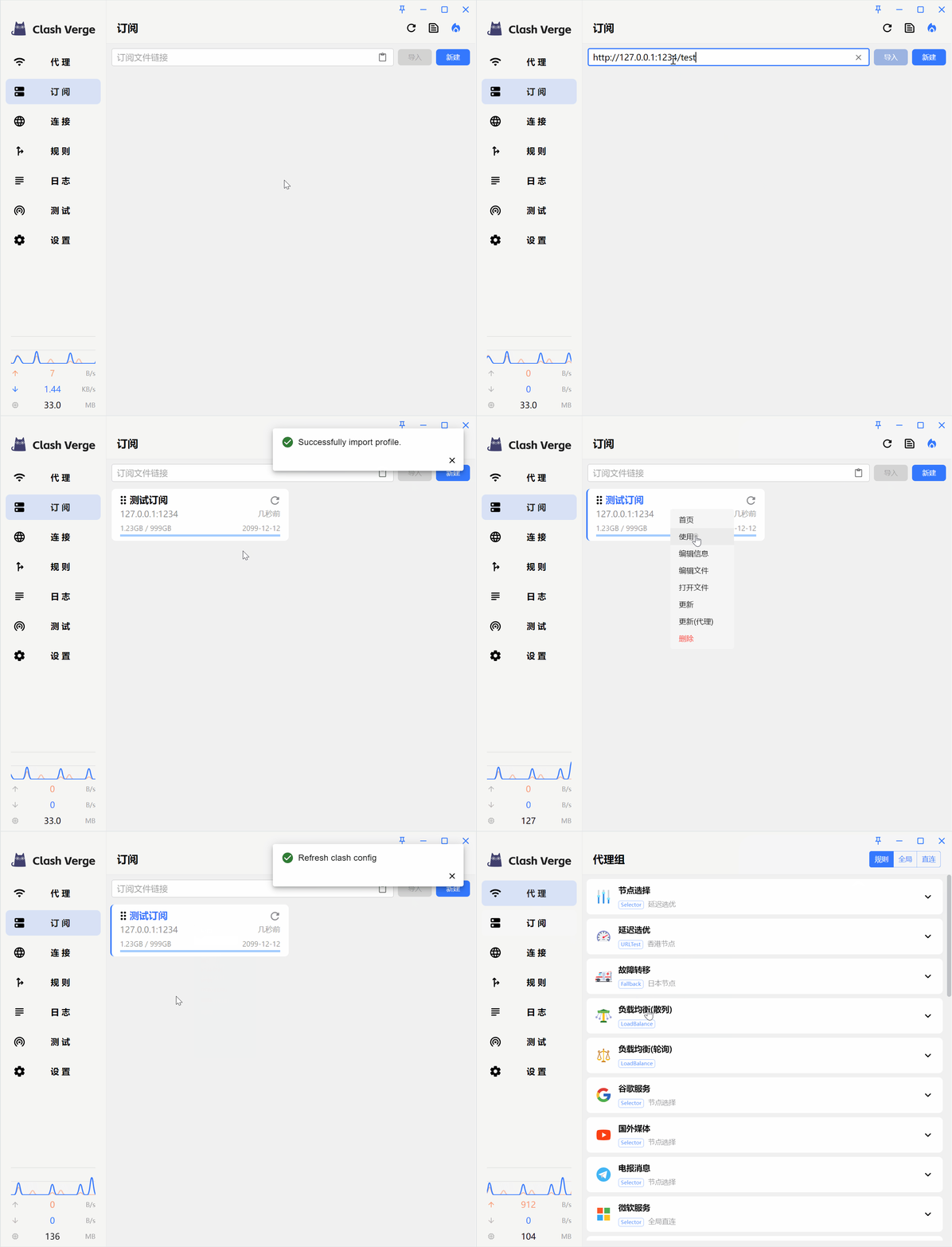
Remote subscriptions support three import methods: subscription URL import, subscription URL configuration, and URL Schemes.
Subscription URL Import
INFO
If you get a client error(Connect) message when importing via Subscription URL Import, please try other import methods.
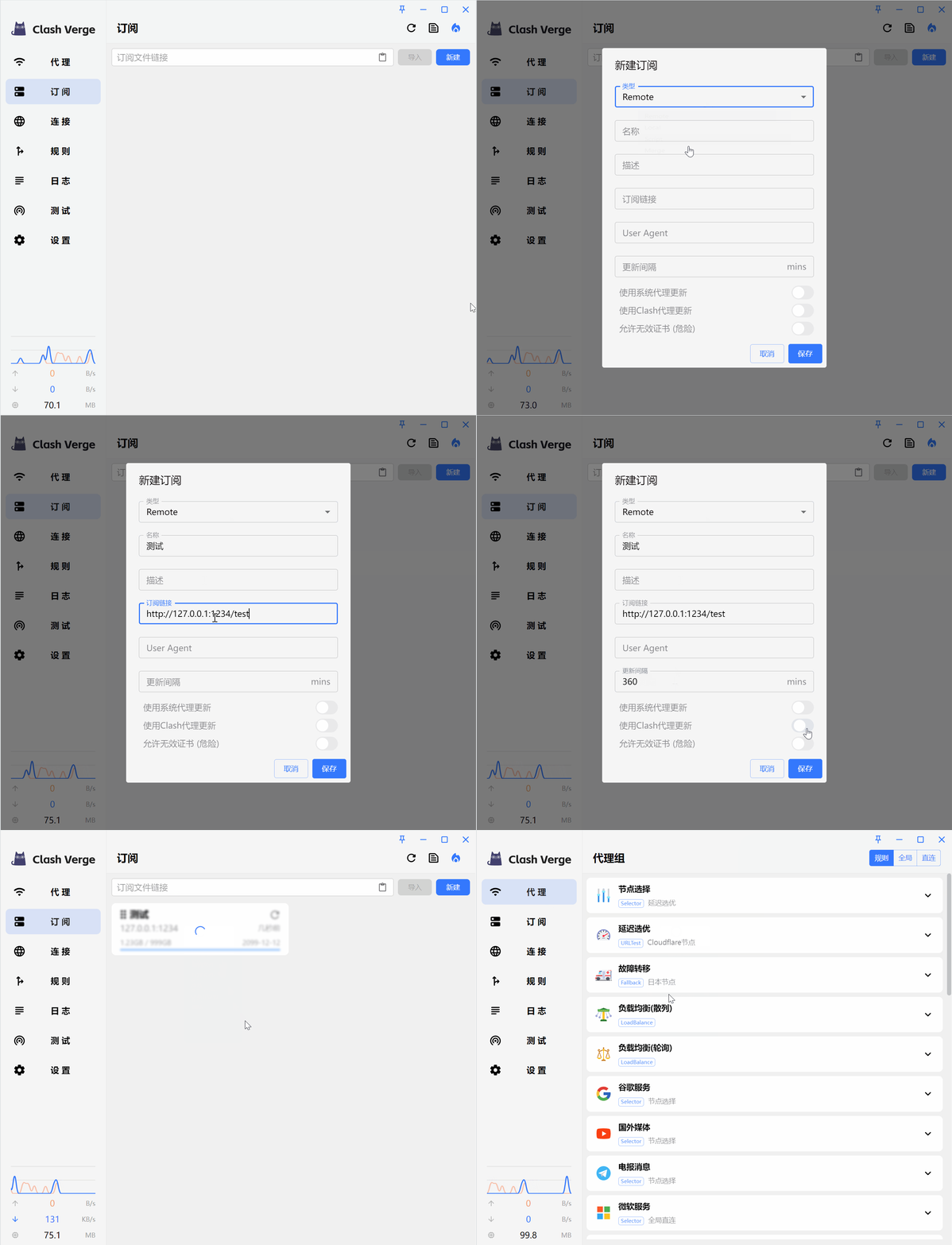
Subscription URL Configuration
WARNING
If you still get a client error(Connect) message when importing via Subscription URL Configuration, try enabling Allow Invalid Certificates (Dangerous), save, and retry.
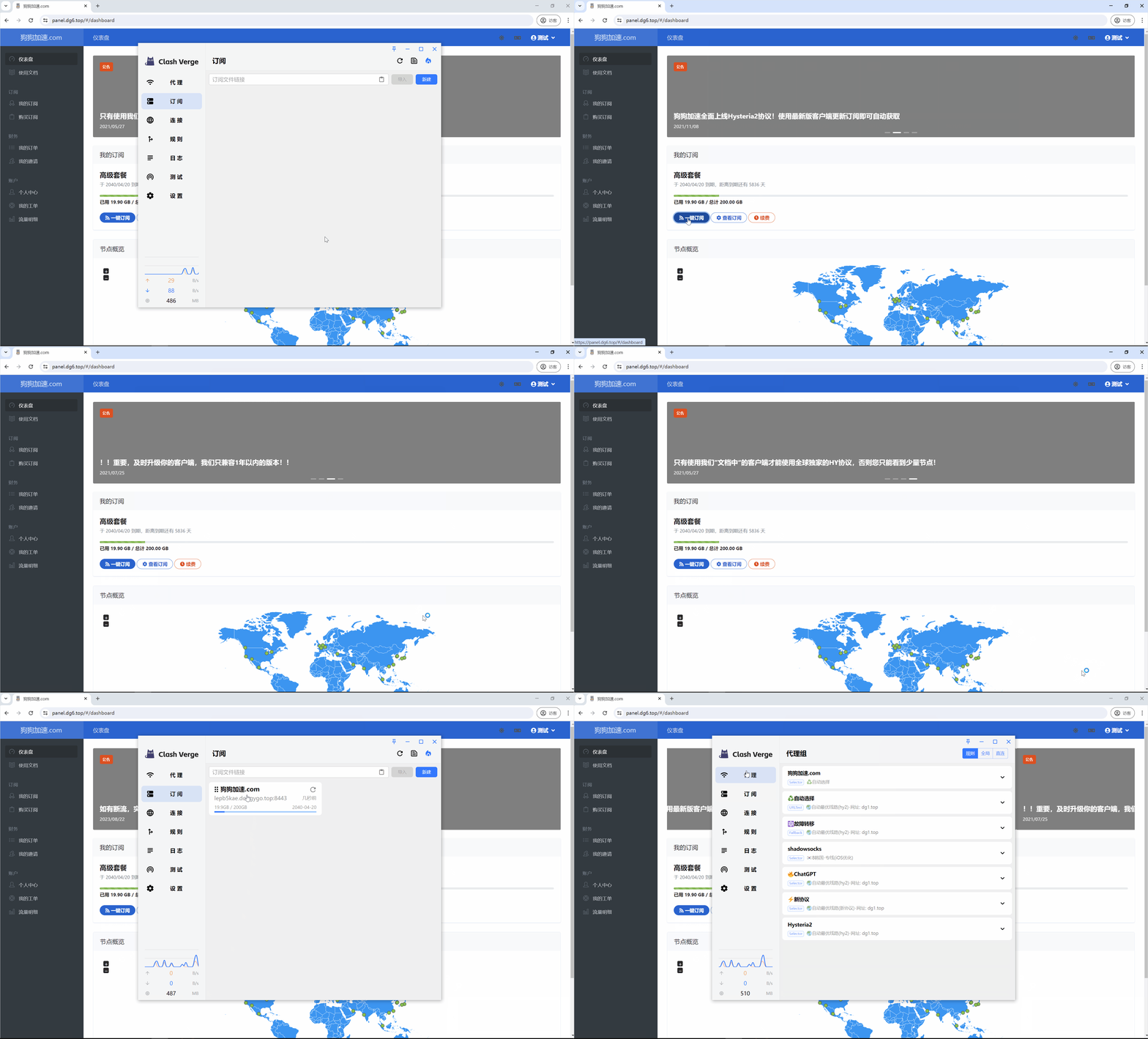
URL Schemes
WARNING
If you cannot import via URL Schemes, please refer to the solution for URL Schemes malfunction.
Local Configuration
Local configuration supports two import methods: creating a new config file and drag-and-drop import.
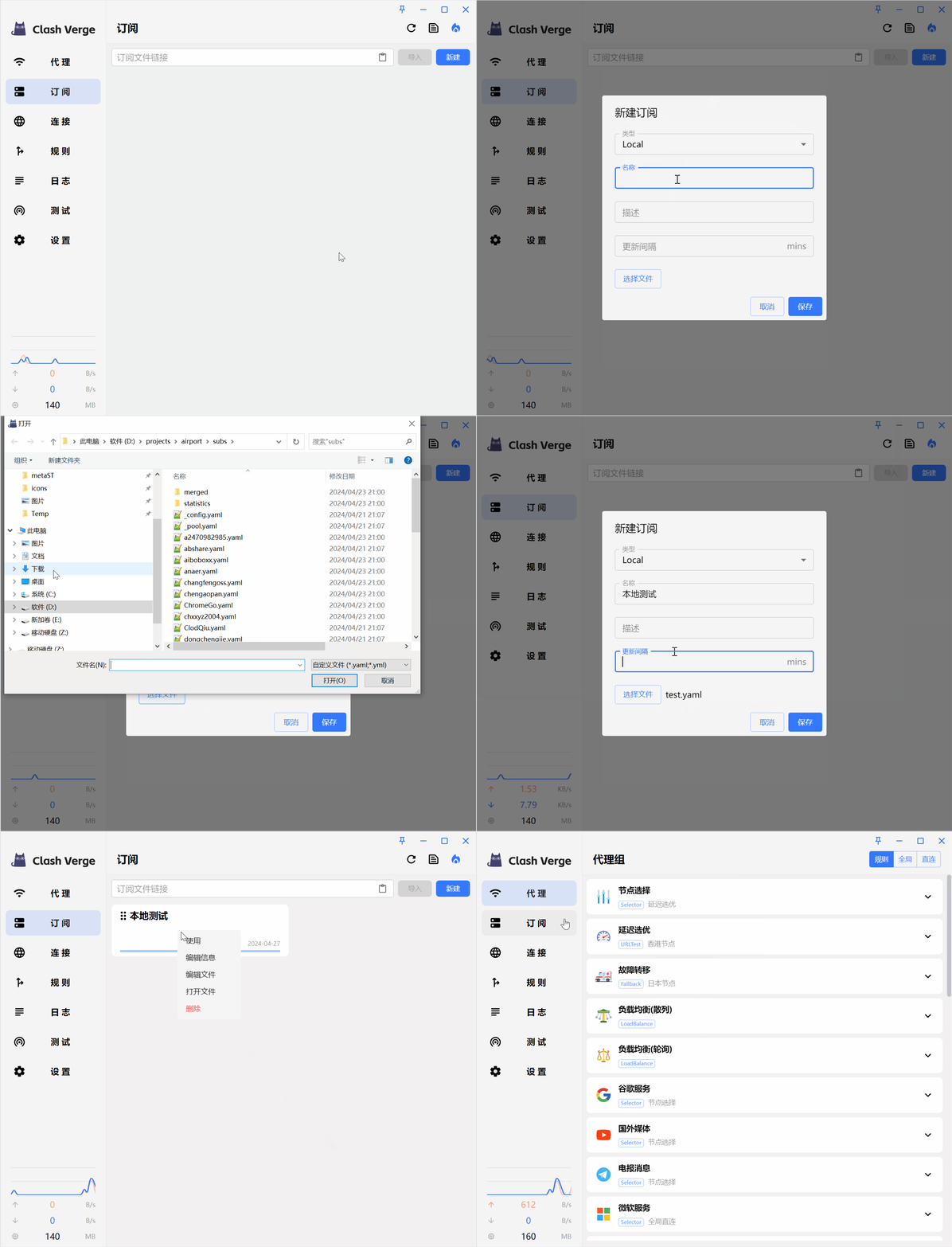
Creating New Config File Import
INFO
Selecting a file is optional; saving directly will generate an empty config file. The selected file will be copied to the profiles directory, so moving or deleting the original file will not affect the config.
Drag-and-Drop Config File Import
Alpha feature, coming soon.